How to Download the Fruit Fly Brain and Run It: 139,000 Neurons in 33 Seconds on a Mac mini
How to Download the Fruit Fly Brain and Run It: 139,000 Neurons in 33 Seconds on a Mac mini
Most people searching for a "fruit fly brain download" have just seen the headline that scientists uploaded a fly's brain into a computer, and want to try it themselves. Good news: you can, and it's easier than you'd think. Bad news: follow the README's one-line switch to the public data and the official example crashes.
I went through it from scratch on a Mac mini and timed every step. The short version:
- The "fruit fly brain" is two files: a list of 138,639 neurons (3.3 MB) and a connection table with 15,091,983 rows (101 MB). Each row says who connects to whom, with how many synapses, and whether the connection excites or inhibits.
- An ordinary computer is enough: cloning took 57 s, installing dependencies 21 s, and the official sugar-taste example (30 trials × 1 s of brain time) ran in 33 s.
- Switching to the public v783 data as the README says gives a
KeyError, because the example's neuron IDs come from an older release. The fix is small; a working version is below. - Once it runs, you can do experiments that are hard on a real fly: switch off one neuron at a time and watch what the whole brain does.
Background: what you're actually downloading
In 2024 the FlyWire Consortium published the first complete wiring diagram (connectome) of an adult fruit fly brain in Nature. In the same issue, Shiu et al. published a whole-brain model built on it: every neuron is simplified to a leaky integrate-and-fire (LIF) unit, connection strength is simply the synapse count, and it runs in the Brian2 simulator.
The model's official repository, philshiu/Drosophila_brain_model, ships the public data alongside the code, so the most direct way to "download the fruit fly brain" is to clone it:
| File | Size | Contents |
|---|---|---|
Completeness_783.csv |
3.3 MB | FlyWire IDs of 138,639 neurons |
Connectivity_783.parquet |
101 MB | 15,091,983 connections: pre ID, post ID, synapse count, excitatory/inhibitory |
model.py / utils.py |
14 KB | The model and helpers for reading results |
| Older v630 data | 90 MB | The release the paper used; the example still points at it |
The whole clone is 380 MB, half of it git history. For richer data (cell types, neurotransmitters, 3D morphology), use FlyWire's Codex (codex.flywire.ai), the official data portal. The licence is CC BY-NC 4.0: attribution required, no commercial use.
What's in the table
Before running anything, I pulled the table apart. A few numbers stand out:
| Item | Value |
|---|---|
| Neurons | 138,639 |
| Connected neuron pairs | 15,091,983 |
| Total synapses (sum of the synapse-count column) | 54,492,922 |
| Excitatory connections | 60% |
| Connections with a single synapse | 49.7% |
| Connections with 5 or more synapses | 17.9% |
| Average downstream partners per neuron | 109 |
| Most synapses between two neurons | 2,405 |
| Connection density | 0.08% (each neuron reaches under a thousandth of the brain) |
The third row is a nice cross-check: the Nature paper reports 54.5 million synapses, and the table sums to 54.49 million.
Two more things worth knowing:
- Half of all connections are a single synapse. Automated detection produces false positives, so FlyWire's Codex counts a connection only at five or more synapses by default. By that standard, less than a fifth of this table survives. Shiu's model doesn't filter; single-synapse connections are included, just with small weights.
- The two most connected neurons in the brain are the same cell type. The neuron with the most outputs (9,783 downstream partners) and the one with the most inputs (10,356 upstream partners) are CT1 in the right and left optic lobes. There are only two CT1 cells in the whole brain, one per side, and each single cell spans the medulla and lobula (cell types from the official FlyWire annotations, Schlegel et al. 2024).
Hands-on
Setup: Mac mini M4 (10 cores, 24 GB), Python 3.12, Brian2 2.10.1 (code generation picked Cython automatically). I manage environments with uv; the equivalent pip commands are below. I did not test Windows.
Step 1: clone and install
git clone https://github.com/philshiu/Drosophila_brain_model.git   # 57 s, 380 MB
cd Drosophila_brain_model
python3 -m venv .venv && source .venv/bin/activate
pip install brian2 pandas pyarrow joblib                           # 21 s (no cache)
The README suggests a conda environment pinned to Python 3.10 and Brian2 2.5.1. Plain pip with current versions works too.
Step 2: switch to v783 as the README says — and crash
example.ipynb defaults to the v630 data the paper used. The README's "Version 783" section says to use the public release by changing the config to:
config = {
    'path_res'  : './results/new',
    'path_comp' : './Completeness_783.csv',
    'path_con'  : './Connectivity_783.parquet',
    'n_proc'    : -1,
}
Do that and run the example's "activate right-hemisphere sugar neurons" cell:
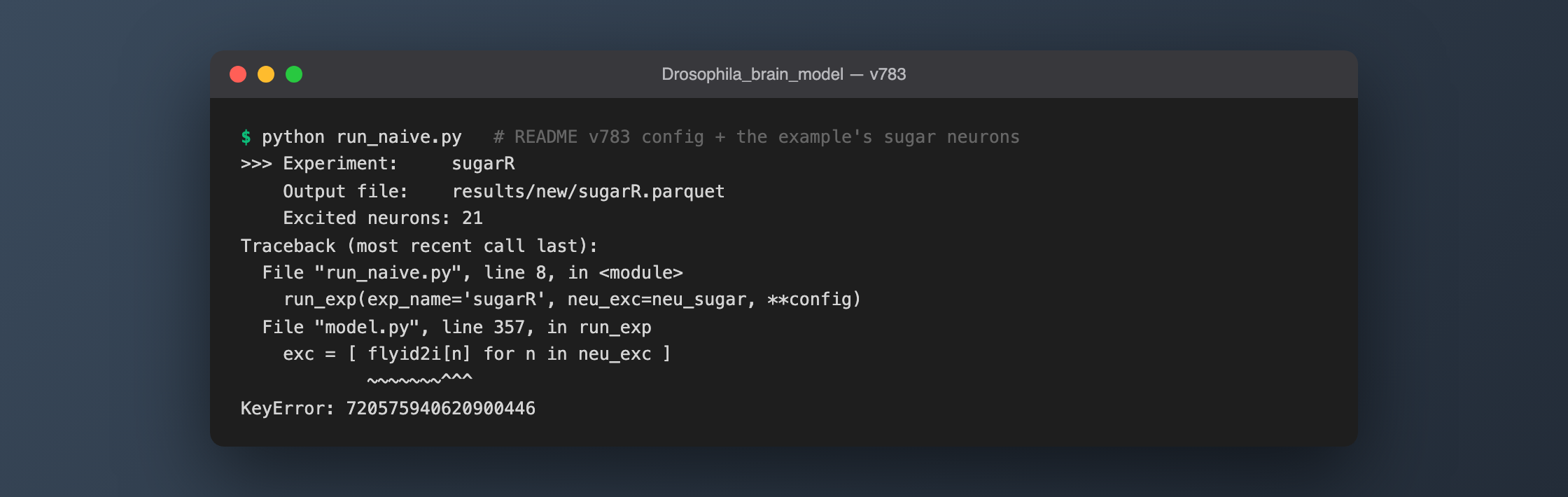
The reason: FlyWire neuron IDs change as proofreading continues. When a neuron is split or merged, it gets a new ID. The example's 21 sugar neurons are v630 IDs; I checked each one, and 20 still exist in v783 while 720575940620900446 is gone. Only 106,220 IDs are shared between the two releases (v630 has 127,400 neurons, v783 has 138,639).
There's a second trap here: the ./results/new folder in the README config doesn't exist in the repo. The model doesn't check up front — it runs the entire simulation and only fails when saving, with Cannot save file into a non-existent directory. All that compute is thrown away.
Step 3: a version that works
mkdir -p results/v783
import pandas as pd
from model import run_exp

neu_sugar = [...]  # paste the 21 IDs from example.ipynb

# drop IDs that no longer exist in v783 (20 remain)
valid = set(pd.read_csv('./Completeness_783.csv').iloc[:, 0])
neu_sugar = [n for n in neu_sugar if n in valid]

config = {
    'path_res'  : './results/v783',
    'path_comp' : './Completeness_783.csv',
    'path_con'  : './Connectivity_783.parquet',
    'n_proc'    : -1,          # use every CPU core
}
run_exp(exp_name='sugarR', neu_exc=neu_sugar, **config)
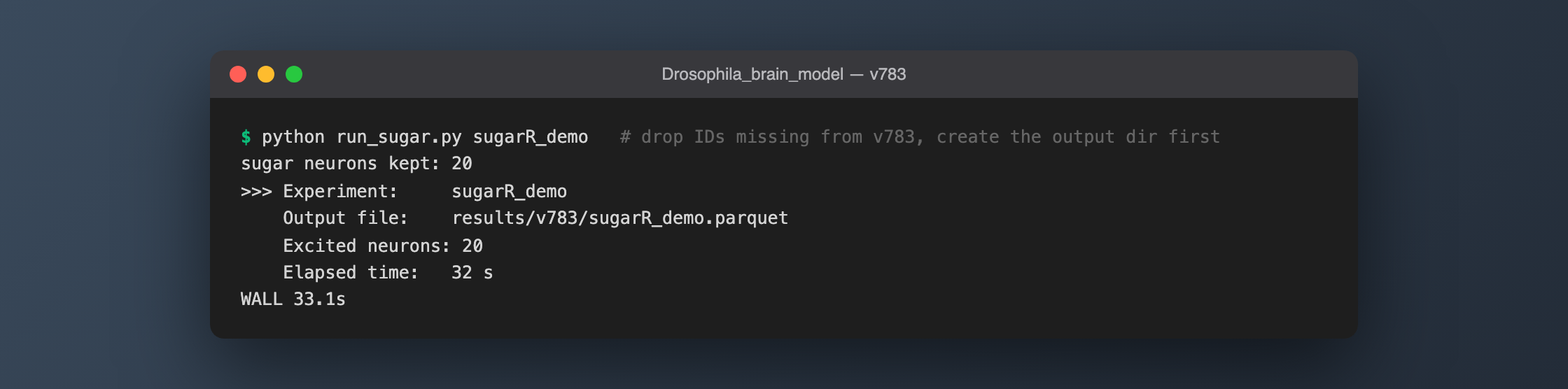
By default the model runs 30 independent trials of 1 s of brain time each, and joblib spreads them across all cores. I ran it twice: 33 s and 32 s.
Reading the result:
import utils as utl
from model import default_params as params

df = utl.load_exps(['./results/v783/sugarR.parquet'])
rate, _ = utl.get_rate(df, t_run=params['t_run'], n_run=params['n_run'])
print(rate.loc[720575940660219265])   # MN9: the motor neuron that extends the proboscis
Compared with the v630 results that ship in the repo:
| Sugar neurons stimulated | Spikes over 30 trials | Neurons that fired | MN9 rate | |
|---|---|---|---|---|
| My run (v783) | 20 | 388,402 | 427 | 80.2 Hz |
| Shipped results (v630) | 21 | 511,566 | 448 | 93.3 Hz |
Same order of magnitude: stimulating 20 sensory neurons recruits only about 400 of 139,000 neurons, including MN9, the motor neuron that extends the fly's proboscis. The numbers differ because one stimulus neuron is missing and the two wiring diagrams differ.
One more mismatch: the example's text says neurons are excited at 200 Hz by default, but r_poi in model.py defaults to 150 Hz. Trust the code.
Step 4: an experiment that's hard on a real fly
The fun part of a digital brain is that you can switch off exactly one neuron. On a real fly that means building genetic tools for that specific cell; here it's one argument:
run_exp(exp_name='sugarR-silence', neu_exc=neu_sugar,
        neu_slnc=[720575940640589171], **config)   # zero every connection of this neuron
I took the five non-sensory neurons that fire most under sugar stimulation and silenced each in turn, watching MN9 (30 trials per condition; MN9's trial-to-trial standard deviation is about 4–5 Hz):
| Silenced neuron | Cell type (FlyWire annotation) | Its own rate | MN9 after silencing |
|---|---|---|---|
| — (none) | 80.2 Hz | ||
| …622695448 | CB0248, central-brain intrinsic neuron | 132.4 Hz | 80.6 Hz |
| …627383685 | CB0248 (other side) | 120.3 Hz | 80.4 Hz |
| …629888530 | CB0192, central-brain intrinsic neuron | 119.0 Hz | 76.2 Hz |
| …618165019 | CB0700, another ingestion motor neuron | 110.9 Hz | 78.0 Hz |
| …640589171 | DNge031, descending neuron | 107.6 Hz | 104.2 Hz |
Switch off any of the first four busy neurons and MN9 barely moves — the pathway is redundant and doesn't depend on any single cell. The fifth goes the other way: silence it and feeding output rises by 30%. It's annotated as descending neuron DNge031 with a predicted GABA (inhibitory) transmitter; in other words, the model predicts that sugar both activates it and has it braking the feeding response.
Two caveats: DNge031's transmitter prediction has a confidence of only 0.50, essentially a coin flip, and this is a model prediction that I have not — and cannot — test on a real fly. But that is exactly what the model is for. Shiu et al. did the same kind of screen in the paper, and 91% of the 164 predictions they could test experimentally matched the experiments.
The five silencing runs took 456 s in total, about 1.5 minutes each.
Gotchas
- v630 neuron IDs don't carry over to v783. Check any ID copied from a paper, old tutorial or old code against
Completeness_783.csv. One of the example's 21 sugar neurons no longer exists. - Create the output folder first. If it's missing, the model runs the whole simulation and only fails when saving.
- The README's v783 config points to
./results/new, which the repo doesn't have, so copying it verbatim hits the previous gotcha. - Package caches make installs look instant. My first install took 2 s — that was the uv cache. With caching off it took 21 s.
- Firing a lot isn't the same as mattering. Silencing the busiest neurons did almost nothing; the one with a real regulatory effect ranked fifth. Don't pick silencing targets by firing rate alone.
FAQ
Is the fruit fly brain data free to download?
Yes. FlyWire's public release (v783) is downloadable from Codex (codex.flywire.ai), and Shiu's model repository includes the two files the model needs. The licence is CC BY-NC 4.0: fine for learning and research, attribution required, no commercial use.
Do I need a GPU?
No. The model is sparse matrix arithmetic, and a CPU does fine. On the same machine I previously found Brian2 on the CPU to be 7× faster than PyTorch on the Apple GPU (MPS). A 10-core Mac mini runs the official example in about 33 s; machines with fewer cores slow down roughly in proportion.
Is what I download a "complete fruit fly"?
No. It's only the brain, without the ventral nerve cord (the fly's spinal cord) and without a body. The neuron model has membrane voltages and synapses but no learning, memory or neuromodulation. It can answer "if I stimulate these neurons, which downstream neurons respond?", but it won't do anything on its own: with no input, every neuron's firing rate is zero.
Can it control a fly's body?
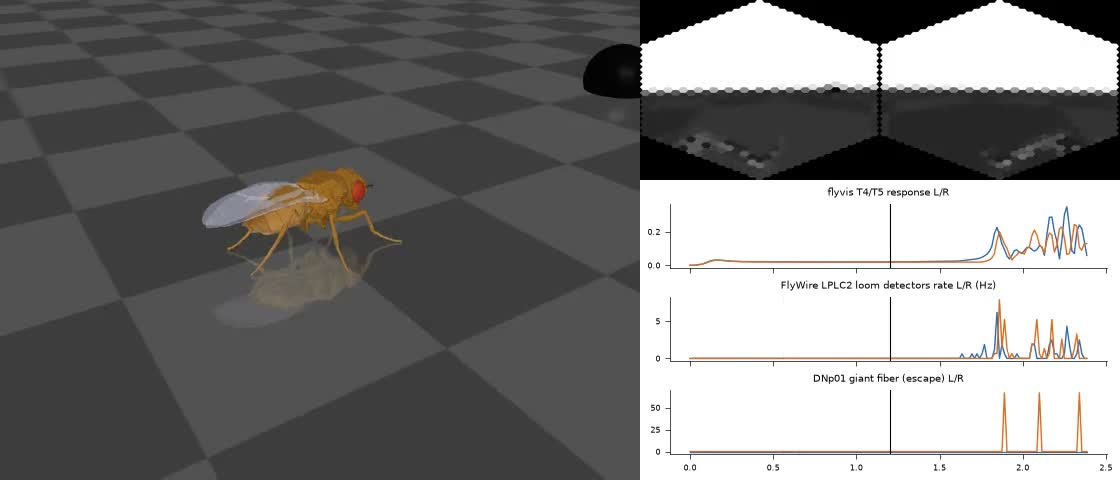
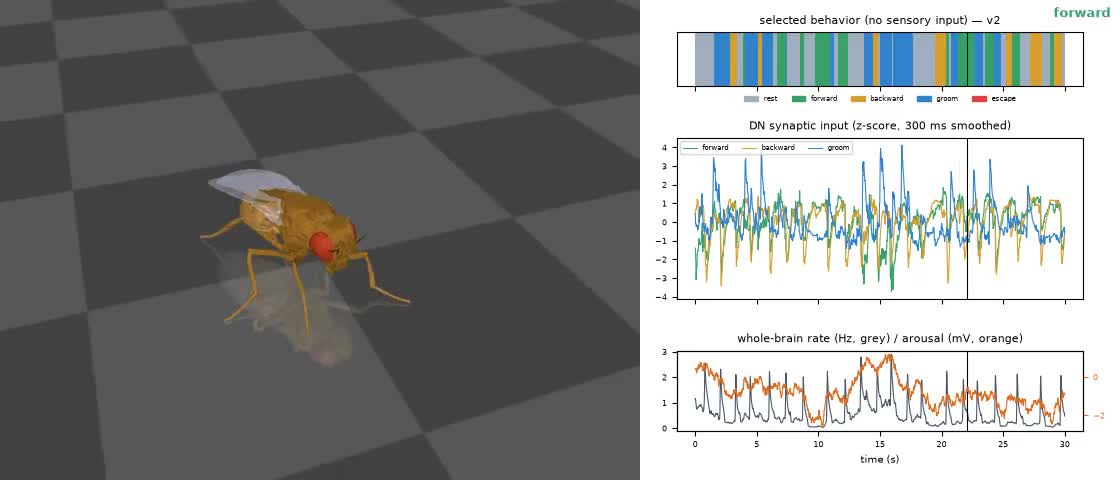
Yes, but you have to write the interface between brain and body yourself. In another hands-on report I connected it to NeuroMechFly's physics body, so it turns toward sugar to feed and escapes a looming ball. If you'd rather skip the setup, you can drive a physics-simulated fly in your browser at the Digital Fruit Fly Lab.
References
- Dorkenwald et al. 2024, Neuronal wiring diagram of an adult brain, Nature. doi:10.1038/s41586-024-07558-y
- Schlegel et al. 2024, Whole-brain annotation and multi-connectome cell typing of Drosophila, Nature. doi:10.1038/s41586-024-07686-5 (cell type annotations: github.com/flyconnectome/flywire_annotations)
- Shiu et al. 2024, A Drosophila computational brain model reveals sensorimotor processing, Nature. doi:10.1038/s41586-024-07763-9 (code: github.com/philshiu/Drosophila_brain_model)