Qwen3.8-27B + DFlash 2 on a 24GB Mac mini: a Measured 1.8x, and Why You Won't Get the Official 3x
Qwen3.8-27B + DFlash 2 on a 24GB Mac mini: a Measured 1.8x, and Why You Won't Get the Official 3x
August 2026 has been a good month for local-model people: Qwen3.8-27B's open weights landed on August 14, and on August 18 Inco AI released DFlash 2 along with a drafter checkpoint for that exact model. The headline number is striking: 2.7–3.4x the throughput of autoregressive decoding on SGLang at batch size 1.
That number comes from data-center GPUs. What I have is a Mac mini with 24GB of RAM. This post answers three questions: does it run? how much faster is it really? and where does the gap come from?
The short version: it runs, at a stable 1.8–1.9x (6.5 → 11.7–12.2 tok/s), across three controlled benchmark rounds with under 5% variance. That takes a 27B model from "barely tolerable" to "comfortable reading speed" — these two August releases genuinely changed what this machine is.
The test machine (full disclosure)
| Item | Spec |
|---|---|
| Model | Mac mini (Mac16,10), 2024 base-tier |
| Chip | Apple M4 (base — not Pro, not Max) |
| CPU | 10 cores (4 performance + 6 efficiency) |
| GPU | 10 cores, Metal 4 |
| Memory | 24GB unified (base M4 is rated at 120GB/s bandwidth) |
| OS | macOS 26.3.1 |
The "base M4" part matters: local LLM decoding is memory-bandwidth-bound, so an M4 Pro (273GB/s) or M4 Max will post much higher absolute speeds. But the speedup ratio — the subject of this post — is mostly determined by the algorithm and quantization setup, so it should transfer.
Why MLX, not vLLM or SGLang
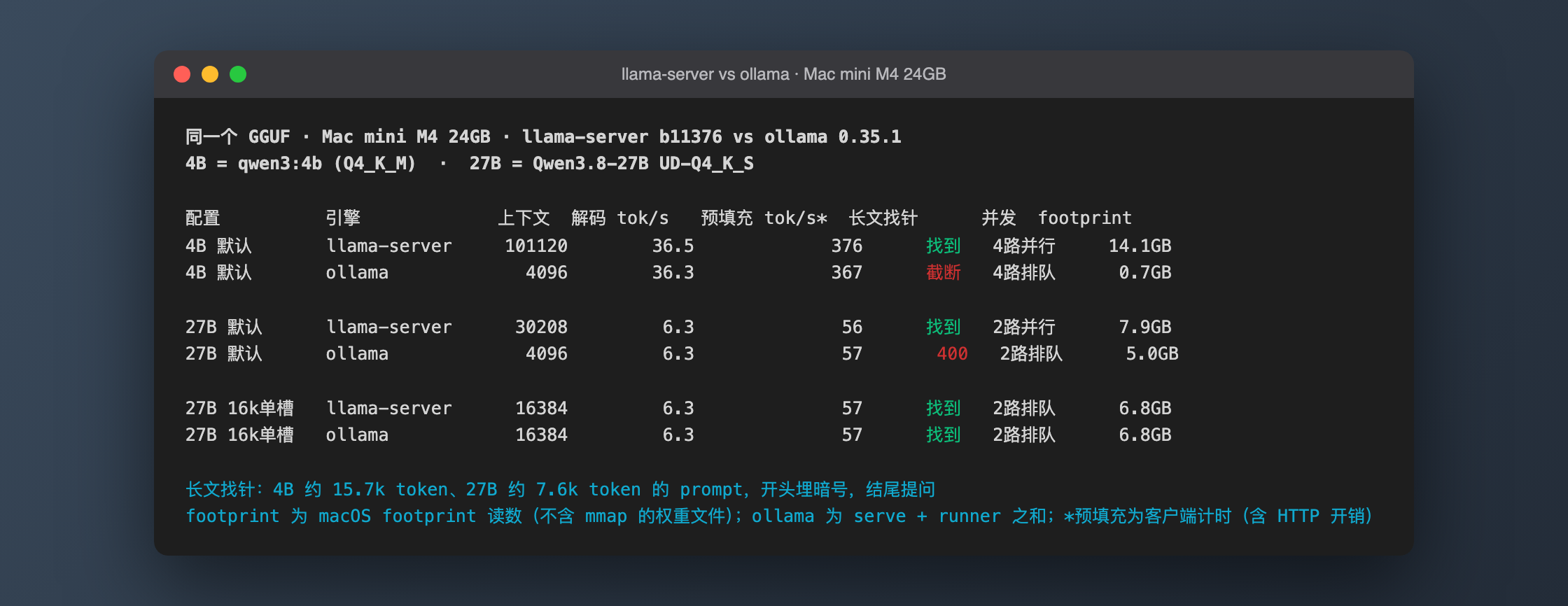
DFlash 2 officially runs on four stacks: SGLang, vLLM, llama.cpp (still a PR), and MLX. The first two are CUDA-only — a non-starter on a Mac. But the official z-lab/dflash repo ships an MLX backend for Apple Silicon, and its README explicitly lists DFlash 2 support for Qwen3.8-27B on MLX. This is a first-party path, not a community hack.
Deployment: four commands
# 1. Environment (Python 3.12 — 3.14 is too fresh for the MLX ecosystem)
mkdir -p ~/llm/dflash && cd ~/llm/dflash
uv venv --python 3.12 .venv
uv pip install --python .venv/bin/python "dflash[local]"

# 2. Models (~19GB total download)
.venv/bin/hf download mlx-community/Qwen3.8-27B-4bit    # target, 15GB
.venv/bin/hf download z-lab/Qwen3.8-27B-DFlash2         # drafter, 3.85GB

# 3. Confirm MLX is on the GPU
.venv/bin/python -c "import mlx.core as mx; print(mx.default_device())"
# expected: Device(gpu, 0)

# 4. Generate
.venv/bin/dflash generate mlx \
    --model mlx-community/Qwen3.8-27B-4bit \
    --draft z-lab/Qwen3.8-27B-DFlash2 \
    --draft-bits 4 --block-size 5 --reasoning low \
    "your prompt here"
Two flags you should not freestyle:
--block-size 5: the official README caps block_size at 5 for quantized models — MLX's current quantized matmul kernel gets less efficient at wider verify widths. This cap is one of the ceilings on Mac speedup; more on that below.--draft-bits 4: the drafter ships as BF16 (3.85GB, roughly 2B parameters) and is quantized to 4-bit at load time, taking about 1GB in memory.
The benchmark: three rounds, methodology first
Setup: identical prompt (a ~300-word English essay task), greedy decoding (temperature 0), fixed 400 generated tokens. The baseline runs the target model alone via mlx_lm (the dflash CLI's local backend refuses to run without --draft, so it can't produce its own baseline). DFlash's net generation speed = total wall time minus pure load time, which I measured separately with a 1-token run (19–20.5 seconds).
| Round | Baseline (autoregressive) | DFlash 2 | Speedup |
|---|---|---|---|
| 1 | 6.48 tok/s | ~11.7 tok/s | 1.80x |
| 2 | 6.40 tok/s | ~11.7 tok/s | 1.83x |
| 3 | 6.50 tok/s | ~12.2 tok/s | 1.88x |
Between rounds 2 and 3 I killed every background app on the machine — the numbers barely moved. The bottleneck really is memory bandwidth, not CPU contention. With under 5% variance across rounds, 6.5 vs 11.7–12.2 tok/s is the settled number for this machine. On quality: speculative decoding is mathematically lossless (the drafter only proposes; the target model verifies every block), and in practice the math answers were correct and the 400-token essays coherent, as theory predicts.
The felt difference is bigger than the ratio suggests: at 6.5 tok/s you wait for words; at 11.7 tok/s you're reading at close to natural pace.
Retest (Aug 29): the numbers hold, plus two new findings
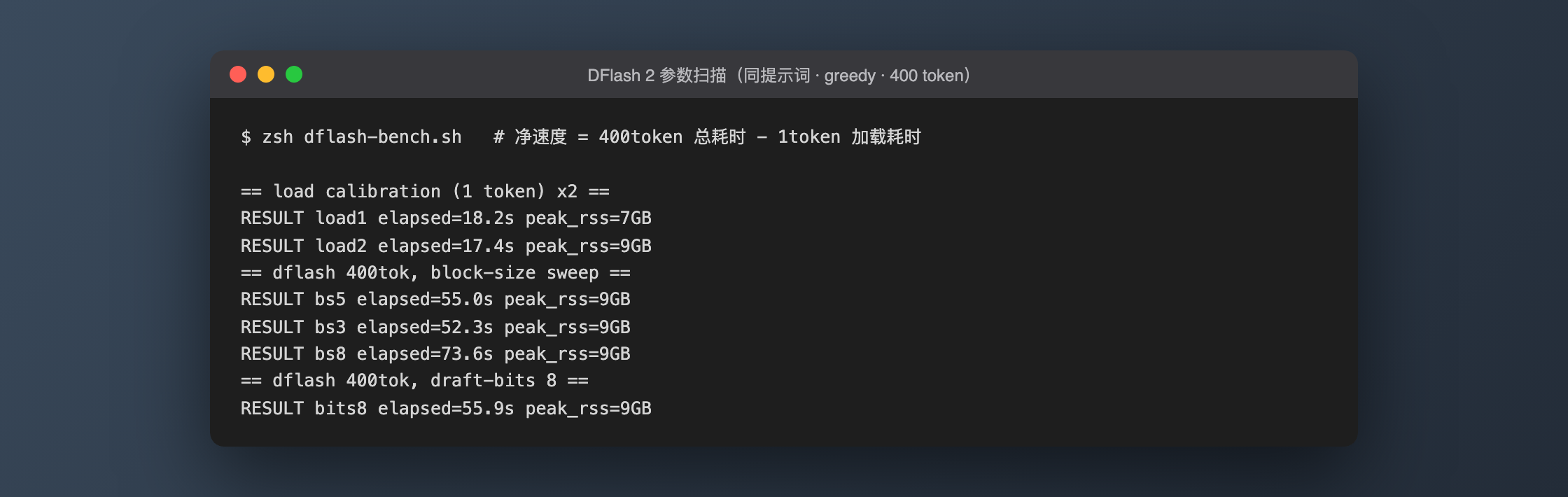
Six days after the original run I re-ran the whole pipeline, and added the parameter sweep the first test skipped. Same methodology: same prompt, greedy, 400 tokens, net speed = total time minus a 1-token load calibration (17.4–18.2s this round).
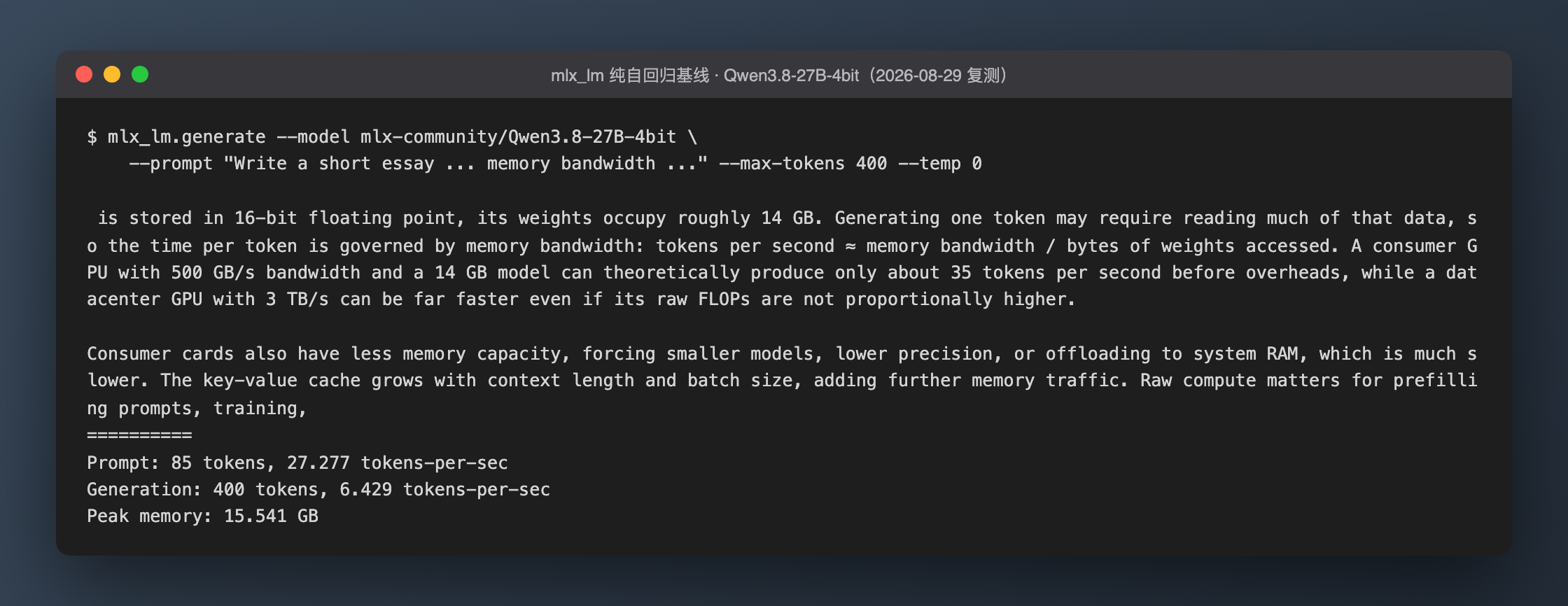
Baseline first: two mlx_lm rounds at 6.43 / 6.51 tok/s, peak memory 15.54GB — dead on the original 6.40–6.50. Nothing drifted in a week:
Then this round's main course — a block-size and draft-precision sweep:
| Config | Total time | Net speed | Speedup |
|---|---|---|---|
| block-size 3 | 52.3s | 11.6 tok/s | 1.79x |
| block-size 5 (default) | 55.0s | 10.8 tok/s | 1.66x |
| block-size 8 | 73.6s | 7.2 tok/s | 1.11x |
| draft 8-bit (bs=5) | 55.9s | 10.5 tok/s | 1.62x |
Two new findings:
1. The official block_size ≤ 5 rule is not conservative advice — it's a real cliff. Forcing block-size to 8 collapses the speedup from 1.66x to 1.11x — nearly all gain gone. The quantized matmul kernel's efficiency loss at wider verification blocks is very real; the "ceiling" explanation earlier in this article now has numbers behind it. Going the other way, block-size 3 beat the default 5 by 7%: on a bandwidth-starved base M4, a smaller verification block actually pays off, and it's my new default on this machine.
2. Don't use an 8-bit draft. Intuition says a more precise drafter → higher acceptance rate → faster. Measured: 3% slower. The draft model grows from ~1GB to ~2GB, and the extra memory bandwidth it eats costs more than the acceptance-rate gain returns. The 4-bit draft is the right default.
Two incidental verifications: under greedy decoding, the outputs of block-size 3, 5, and the 8-bit draft runs were byte-for-byte identical (1,792 bytes, not one character different) — the most direct evidence you can ask for that speculative decoding is mathematically lossless. And this retest ran with light background load (a Claude Code session was open, unlike the cleared-out rounds 2–3 of the original test); bs5's 10.8 is about 8% below the original 11.7, but the speedup class is unchanged — the conclusion holds under everyday conditions, not just lab conditions.
Official 2.7–3.4x vs my 1.8x: where the gap lives
Three concrete reasons:
1. Quantization cuts the verify width. DFlash's whole trick is verifying an entire block of draft tokens in one forward pass — the wider the block, the better the amortization. The official numbers use unquantized models and wider speculative windows (SGLang runs --speculative-num-draft-tokens 8); MLX's quantized matmul kernel caps block_size at 5, so you start with nearly half the parallel verify width gone.
2. Verification is less free at 4-bit. The speculative-decoding win rests on "verifying k tokens costs about the same as verifying 1." That approximation degrades when you're bandwidth-starved and running discounted quantized kernels — every extra position carries real marginal cost.
3. The official numbers are best-case by construction. The 2.7–3.4x figure is from the DFlash 2 blog's SGLang data-center setup at batch size 1, and the DFlash paper's "over 6x lossless acceleration" is a peak claim across models and tasks. Benchmarking a consumer Mac against those numbers isn't a fair fight — which makes the surviving 1.8–1.9x, after all those discounts, a genuinely strong result for the method.
The 24GB memory budget
It fits, but you have to count in gigabytes:
| Item | Footprint |
|---|---|
| Target model (4-bit) | ~15GB |
| Drafter (after 4-bit load) | ~1GB |
| KV cache + runtime overhead | ~1–3GB (grows with context) |
| Measured peak memory footprint | 19.4GB (via /usr/bin/time -l) |
On a 24GB machine, macOS's default wired-memory ceiling for the GPU sits around 75% of RAM (~18GB), and my measured peak brushes against or crosses that line (footprint includes non-wired pages). Two practical rules: close your browser tabs and IDE before running, and don't be greedy with context — start at 8K and watch memory pressure before raising it. Qwen3.8's hybrid attention layout (48 Gated DeltaNet linear layers + 16 full-attention layers) helps here: three quarters of the layers carry constant-size state instead of a KV cache that grows with context.
Don't bother with BF16 or 8-bit: the 27B BF16 weights are 55.6GB and 8-bit still needs ~28GB — 4-bit is the only option on this machine. And don't go below 4-bit either; multiple independent community reports agree quality falls off a cliff under 4-bit.
Pitfalls, in the order I hit them
- The dflash CLI's local backend requires
--draft— for a pure autoregressive baseline, usepython -m mlx_lm generateinstead. - Pick Python 3.12. The system's 3.14 is too new; MLX-ecosystem wheels lag behind, and you don't want to be the guinea pig.
- Behind restrictive networks, Hugging Face downloads need a proxy — the
HTTPS_PROXYenvironment variable is honored byhf download. - The
--reasoninglevel changes the experience: Qwen3.8 defaults toxhigh, which emits a long thinking section before answering. For everyday Q&A uselowand get the answer directly. - Cold load takes ~20 seconds (16GB of weights off SSD plus on-the-fly drafter quantization). That's a fixed per-process cost — if you call the model often, run a persistent server instead of re-invoking the CLI.
Two alternative routes worth watching
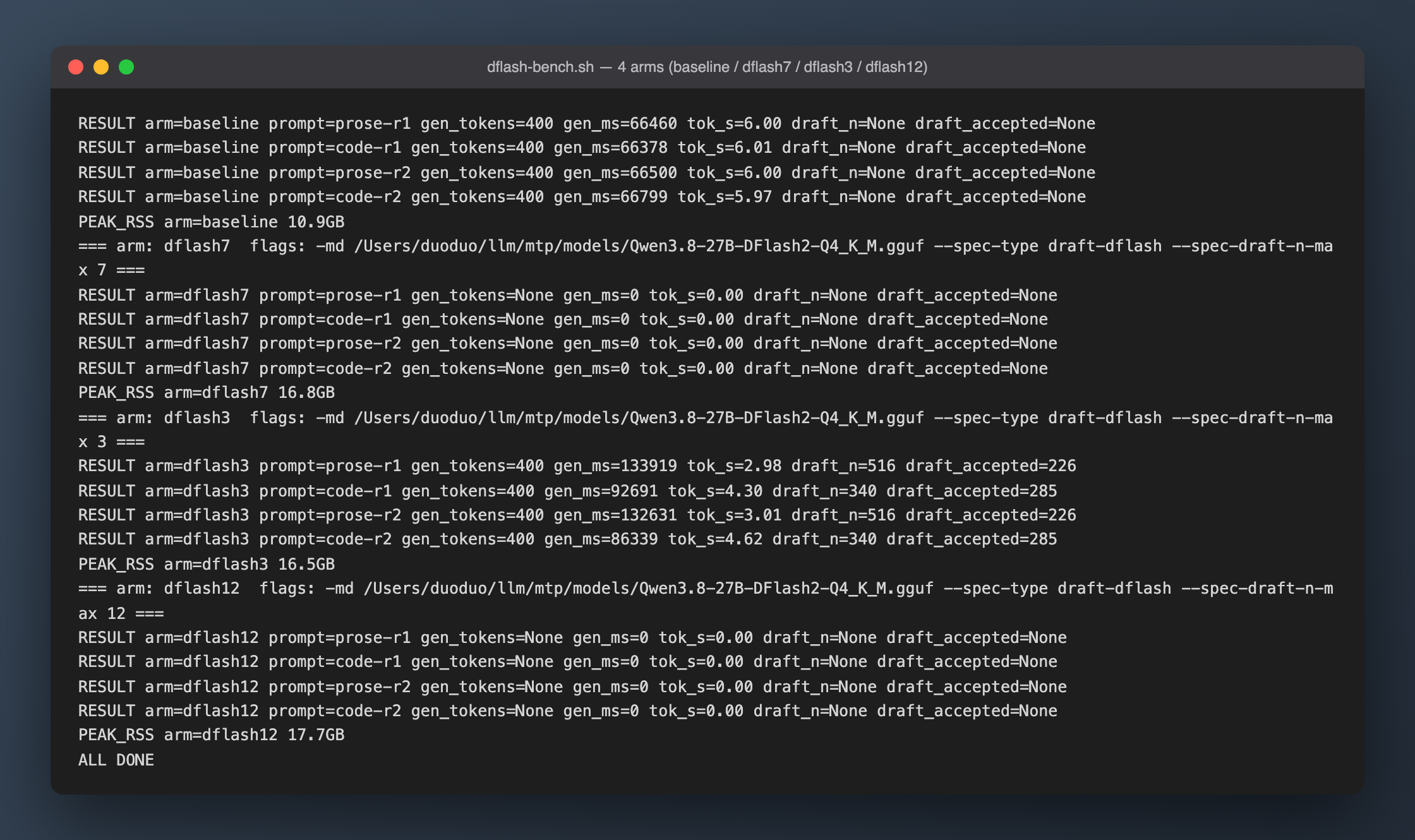
- llama.cpp: the DFlash 2 blog documents a GGUF path via llama.cpp PR #27342 (
Q4_K_Mtarget + GGUF drafter). Once merged, it should be the more memory-frugal option. - Qwen3.8's native MTP head: the model ships with a trained multi-token-prediction head that llama.cpp can already attach (ggml-org publishes it as a separate GGUF). No extra 2B drafter needed — the leaner choice for a 24GB machine, with a different speedup profile. It deserves its own head-to-head benchmark.
All performance numbers are first-hand measurements on the machine described above — original test 2026-08-23, retest 2026-08-29; official figures are cited to their original sources. Both the model and the tooling are under a month old — treat conclusions as time-stamped.