Claude Code Says No conversation found to continue — Your -p Sessions Are Being Filtered Out
What the official docs say
The CLI reference gives --continue a very simple meaning: continue the most recent conversation in the current directory. No qualifiers — nothing about whether that session was started interactively or produced by a headless claude -p "..." run.
That is exactly the assumption many automation workflows are built on: scripts do the bulk work with -p, and when something needs a human, you drop into interactive mode with --continue to take over.
What actually happened
macOS + Claude Code v2.1.220, a clean empty directory, four steps (terminal is a real TTY):
$ claude --max-turns 1 -p 'The answer is 42. Reply only with: OK'
OK

$ claude --continue
No conversation found to continue        # ← BUG: the session clearly exists

$ claude -p --continue "What did I ask earlier?"
42                                        # ← headless continue works fine

$ CLAUDE_CODE_ENTRYPOINT=sdk-cli claude --continue
# ← interactive UI opens normally, with the -p session history fully loaded
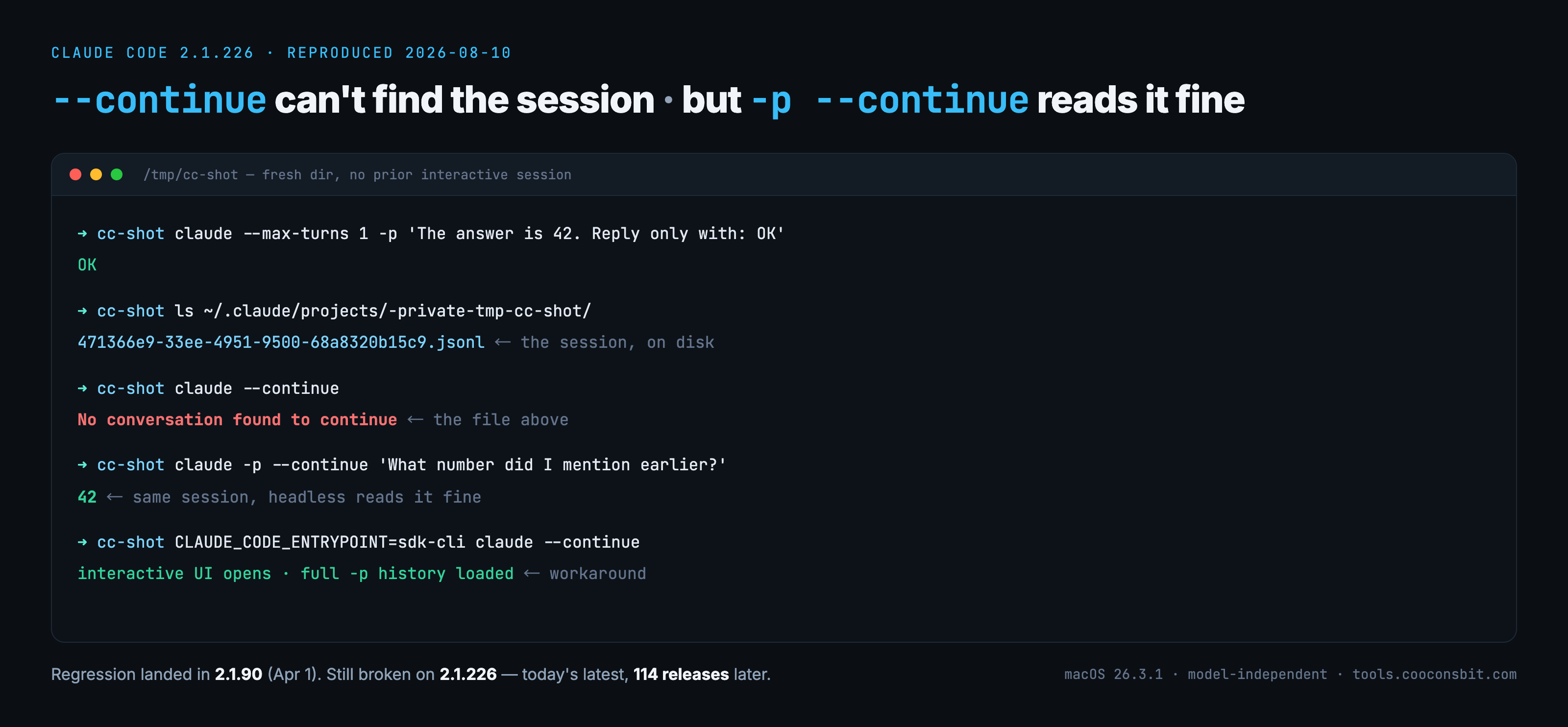
Typeset from the real run on v2.1.226 (2026-08-10) — commands and output are reproduced verbatim, only the colours and spacing are ours. The ls line is the point: the session file the interactive mode says it can't find is sitting right there on disk.
The contrast between steps 2 and 3 is the whole story: the same session data continues fine in headless mode but is "not found" in interactive mode. The session file sits happily in ~/.claude/projects/<project-path>/ as a .jsonl — we checked, and sessions created by -p live in the same place, in the same format, as interactive ones.
The trap: a filter applied one command too far
This is a regression introduced in v2.1.90. That release's changelog says: "Changed --resume picker to no longer show sessions created by claude -p or SDK invocations" — a reasonable product decision on its own (a picker full of one-shot scripted sessions is noisy).
The problem: that filter was also applied to --continue, whose semantics — continue the latest session — should not care how the session was created. So:
- The most recent (or only) session in the directory was created by
-p→ interactive--continuefilters it out →No conversation found to continue - The headless path
-p --continuewas fixed after an earlier issue (#43013) → works all along - The data layer is intact: session metadata, entrypoint fields, and jsonl content are all fine
The GitHub issue (#82536, reported on Fedora + tmux) and our macOS reproduction confirm each other — this is a cross-platform logic bug, not an environment quirk, present from v2.1.90 through v2.1.226 and counting.
Update 2026-08-10 — re-ran the same four steps on v2.1.226, which is the current latest on npm. Identical behaviour. v2.1.90 shipped on 2026-04-01, so the regression has now survived 114 published releases and just over four months, with the issue still open and no linked PR.
Two verified workarounds
1. Just need one follow-up question → headless continue (simplest)
claude -p --continue "Following up on that result, check X for me"
2. Need to take over interactively → prefix the environment variable
CLAUDE_CODE_ENTRYPOINT=sdk-cli claude --continue
The variable makes the CLI start as an SDK entrypoint, which bypasses the interactive session filter. In our test the interactive UI opened normally with full history loaded, and everything behaved like a regular session afterwards. Credit for discovering this goes to the issue author; we verified it works on macOS.
One debugging trap to know: if you run claude --continue through a pipe or redirect (stdout is not a TTY), the error message changes to No deferred tool marker found in the resumed session — the same bug wearing a different mask. Do not let it send you off hunting for "tool markers".
Scope and boundaries
- Affects every version since v2.1.90 (first tested here on v2.1.220, the same version as the issue report; re-confirmed on v2.1.226, the current latest — unfixed, no linked PR)
- Only interactive
--continue/--resumediscovery of-p/SDK sessions is affected; headless-p --continueis fine - Reproduced on both macOS and Fedora; model-independent
- Inferred from the filtering mechanism (not separately tested): when a directory holds both an interactive session and a newer
-psession, interactive--continuewill skip the-psession and silently pick up the older interactive one — no error, but not the "latest" session you meant, which is sneakier than failing outright